Copy with intent
Reuse an established design with the dimensions and options for the next job. Approval drawings include automatic scaling, key dimensions, arranged annotations and controlled revision tables.

CI add-in for Autodesk Inventor
Configure designs. Automate drawings. Prepare the files, costs and inspection records that move a product into production, all from inside Inventor.
Register interest01 / Design & configure
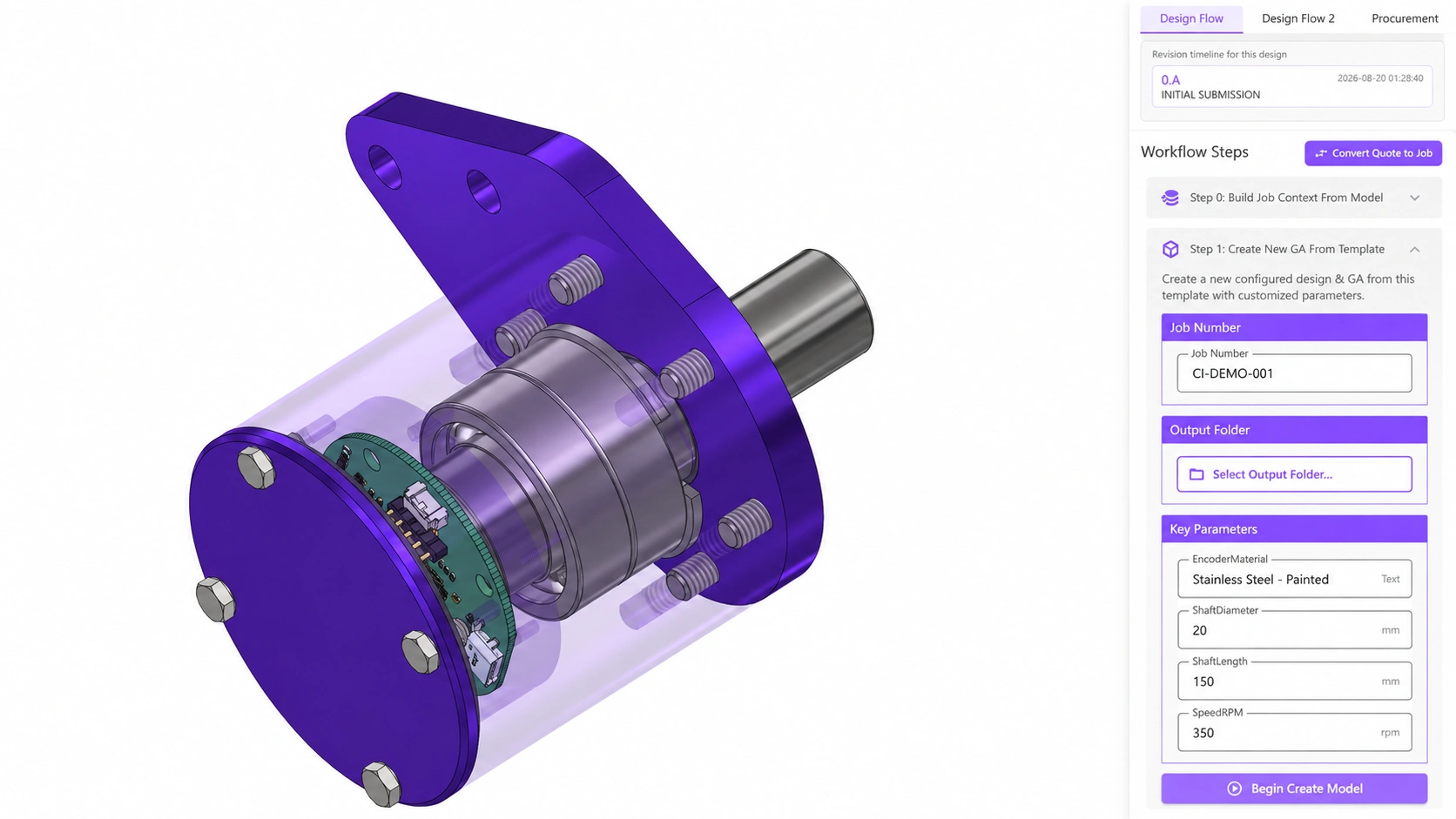
Enter the key parameters before copying a design. The add-in copies the design, applies your inputs, updates the models and produces top-level drawings for customer approval.
Need guided configuration for your sales team? Explore CPC & parametric modelling.
Reuse an established design with the dimensions and options for the next job. Approval drawings include automatic scaling, key dimensions, arranged annotations and controlled revision tables.
Change parameters from the top-level model or edit the design directly, then submit a new revision with comments. Generate an updated approval drawing suite and update the associated revision tables.
 View larger
Edited demonstration images. Customer identifiers and commercial data have been removed or replaced.
A closer look
02 / Drawing automation
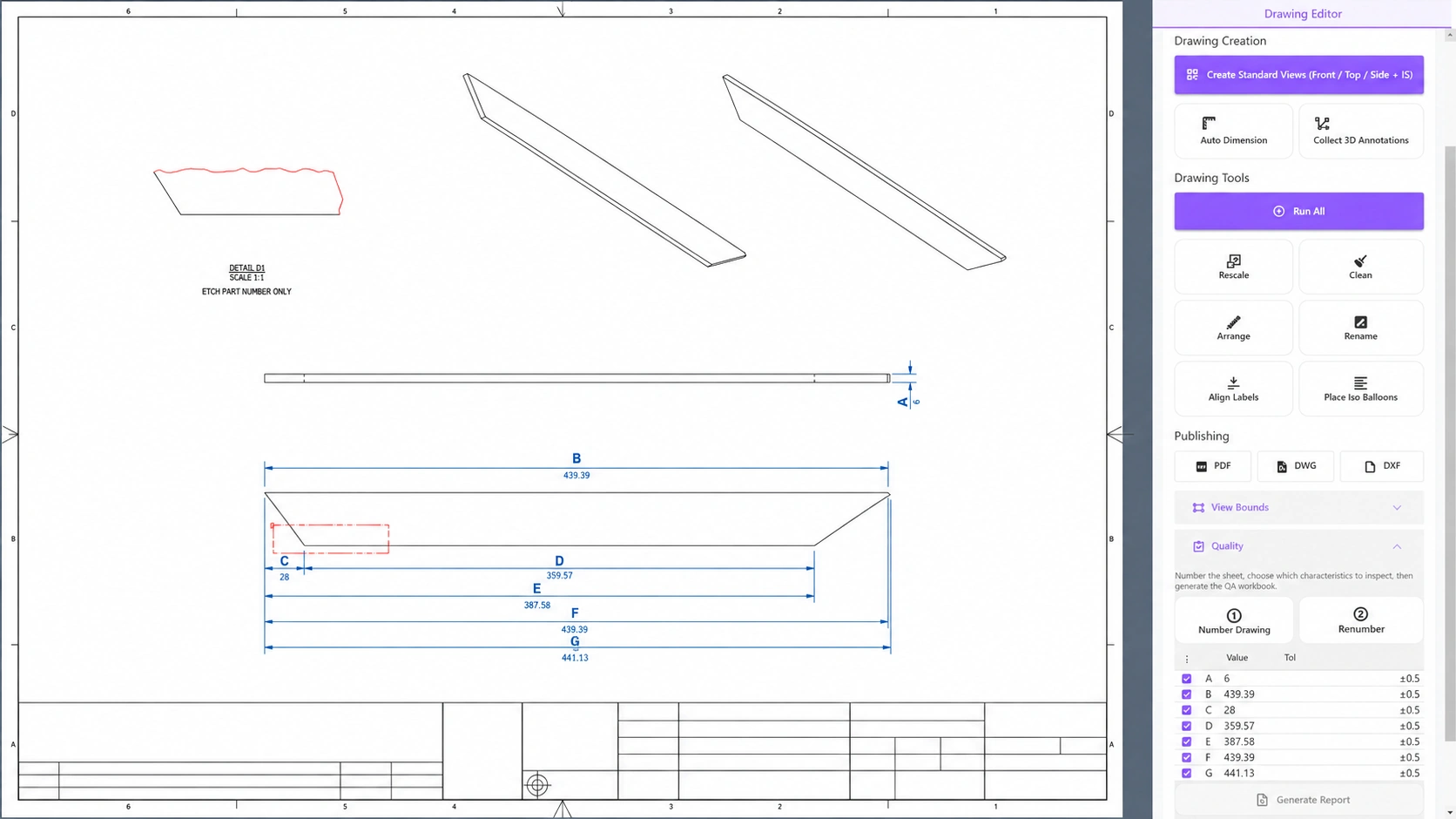
Draft the open model using your designated template and style, with automated views, dimensions, flat patterns where needed, BOM placement and ballooning.
Retrieve 3D annotations from parts, subassemblies and assemblies. Arrange views and dimensions, scale drawings and define how much space a view can occupy on the sheet.
Apply the same drafting rules as the model changes, helping configured variants stay within the intended drawing layout.
 View larger
Edited demonstration images. Customer identifiers and commercial data have been removed or replaced.
A closer look
03 / Release & procurement
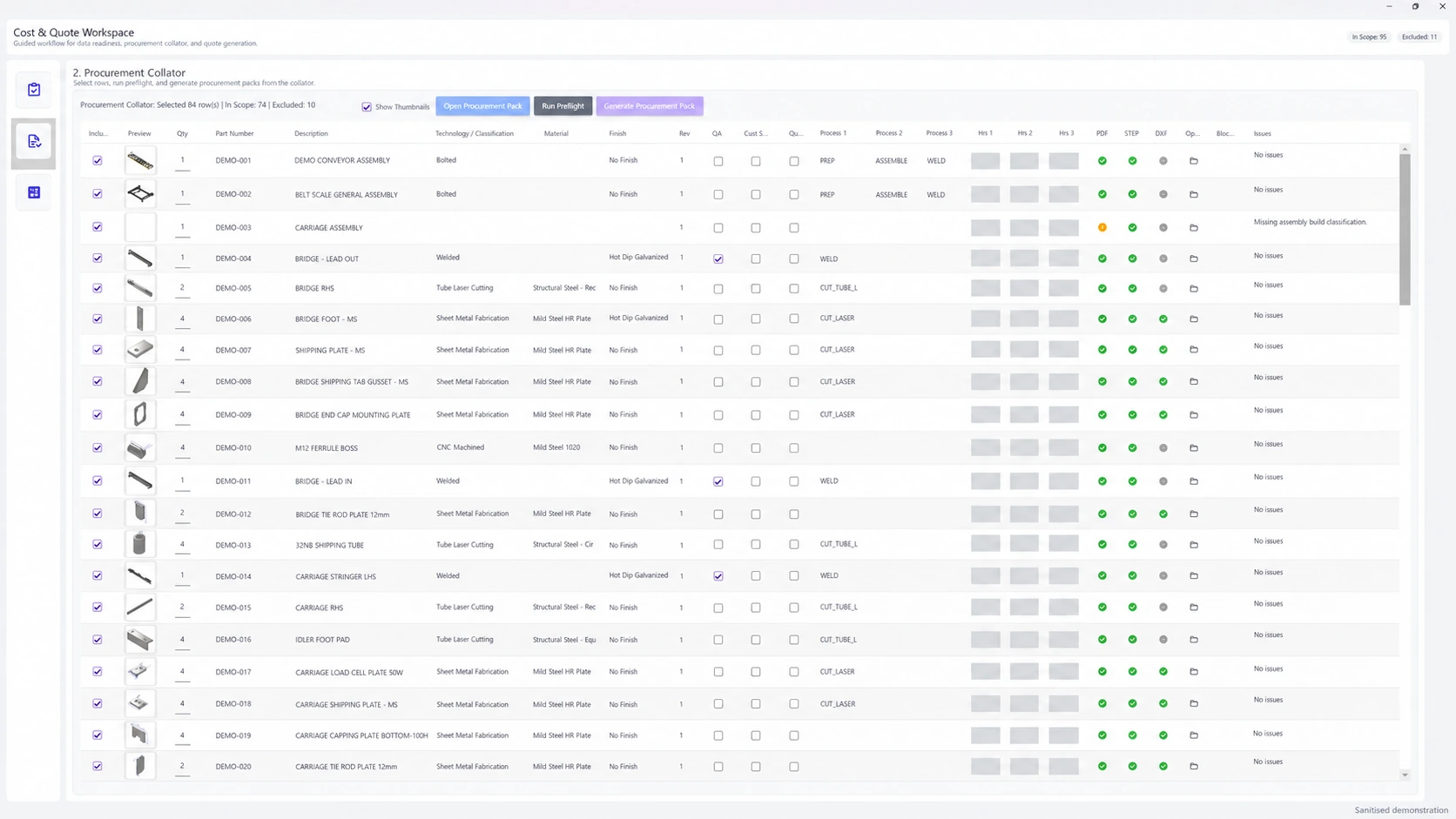
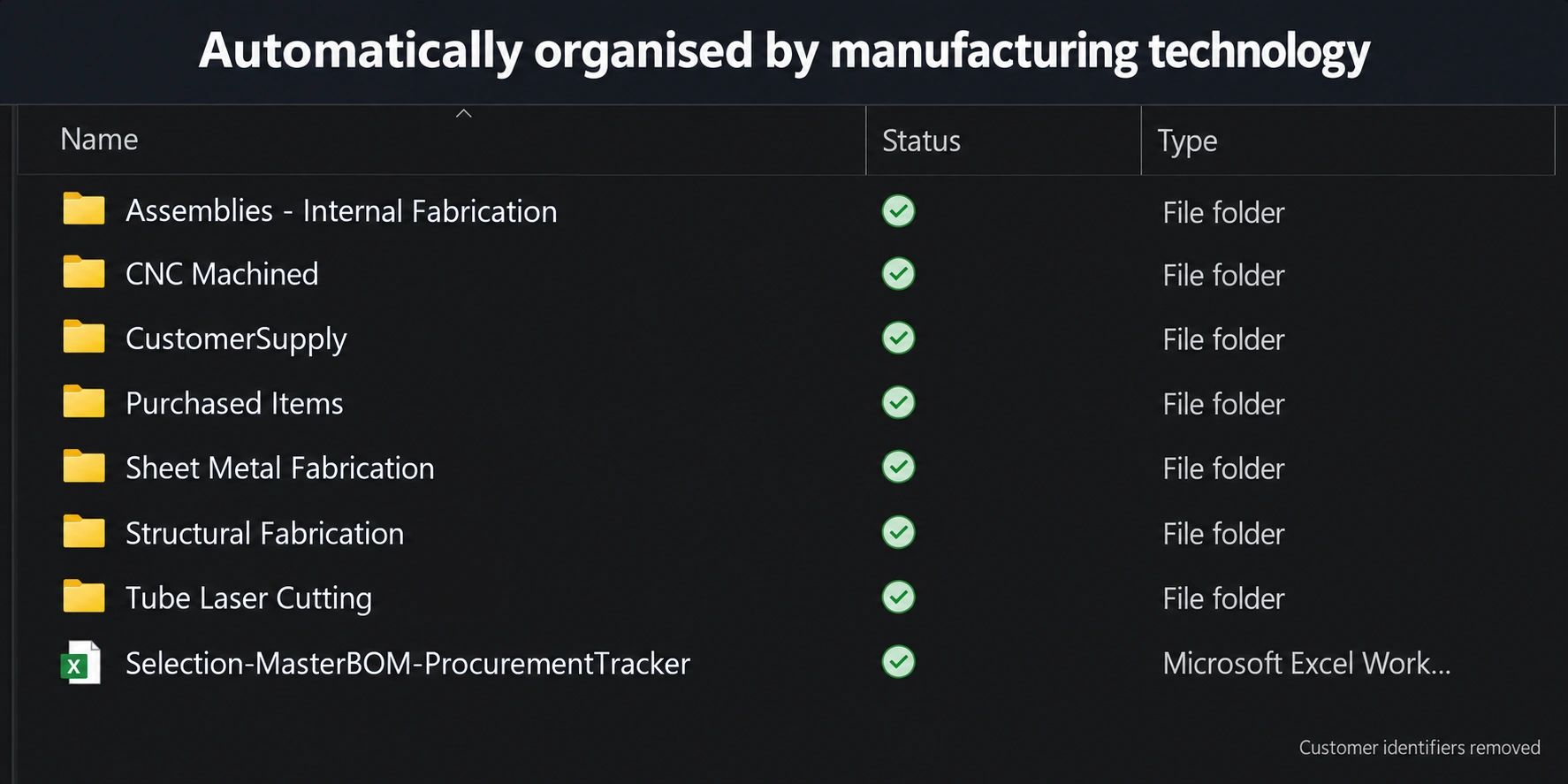
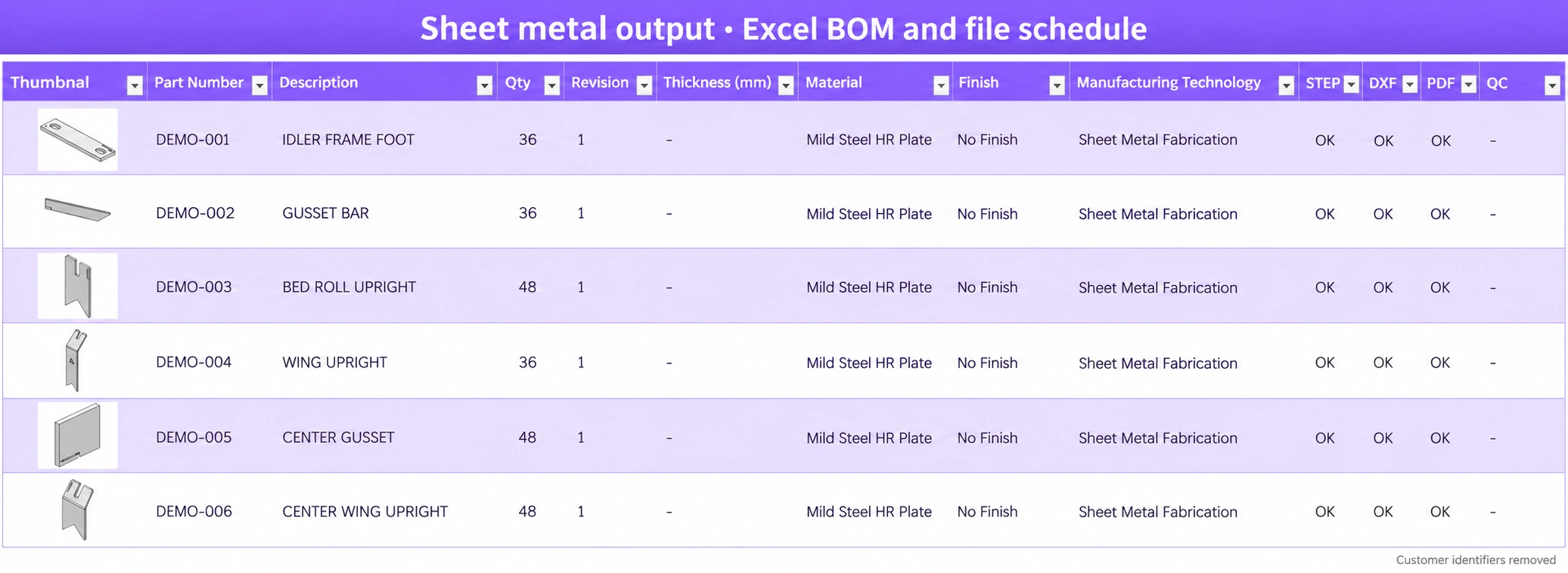
Group components by manufacturing technology or supplier, export the relevant files, and include an Excel schedule with the information needed to quote and manufacture them.
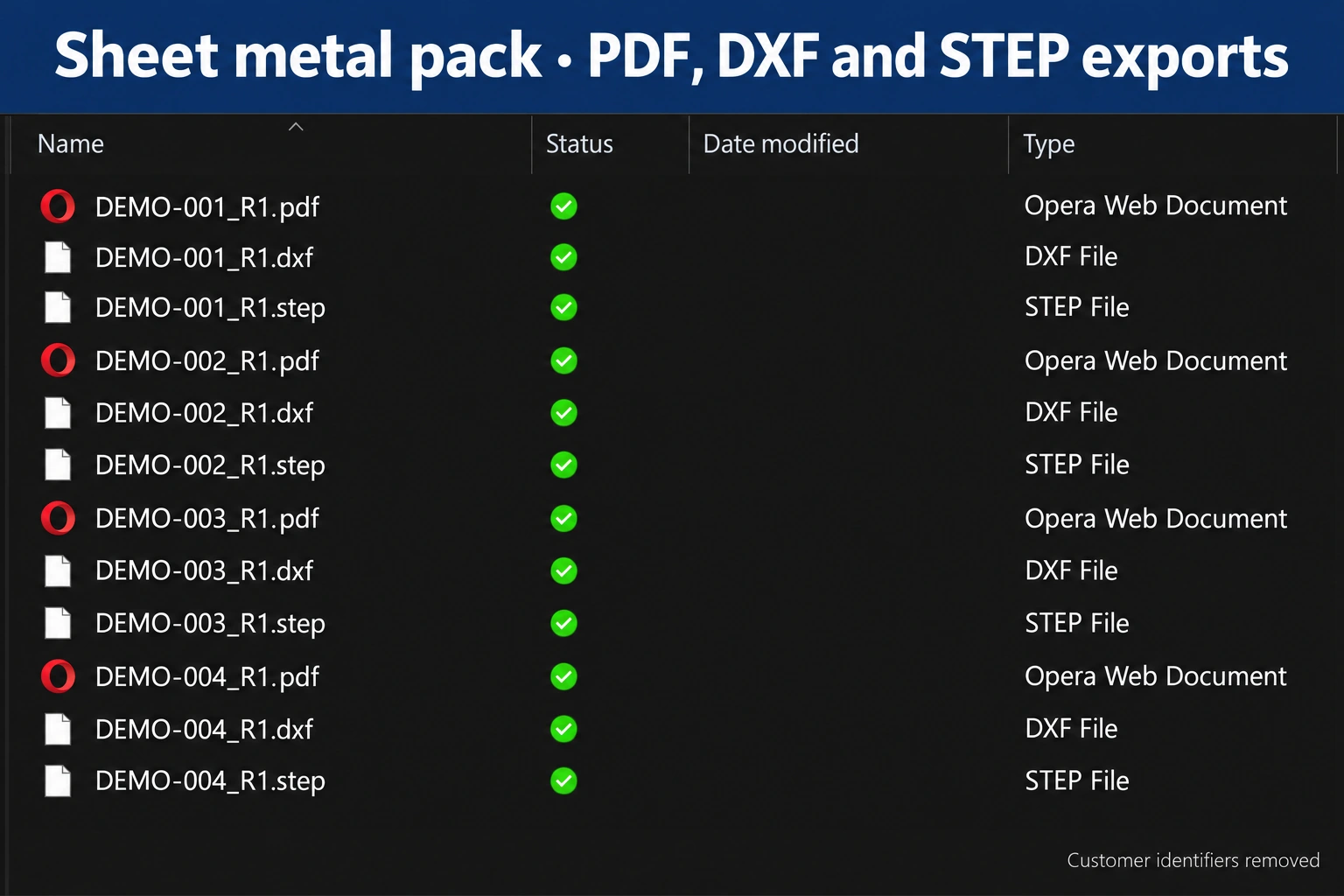
Build, rescale, arrange and export drawings as PDFs, create 1:1 DXFs and STEP files, and collect the outputs into a single folder. Merge PDFs by general arrangement pack for collation and printing.
Collate files by manufacturing technology or vendor. Laser-cut parts, structural sections and machined components each travel with their relevant manufacturing files.
Each procurement folder includes an Excel schedule with thumbnails, RFQ quantities, materials, cut lists and quality requirements. Package the files into a ZIP ready to send for quotation.
Define the sequence a component needs, such as laser cutting, machining and welding, with a process schedule that supports manufacturing workflow tracking.
 View larger
 View larger
 View larger
 View larger
Select a step to follow the export workflow, then open an image for a closer look. Customer identifiers are removed; commercial values in the review screen remain hidden.
A closer look
A closer look
04 / Product data & cost
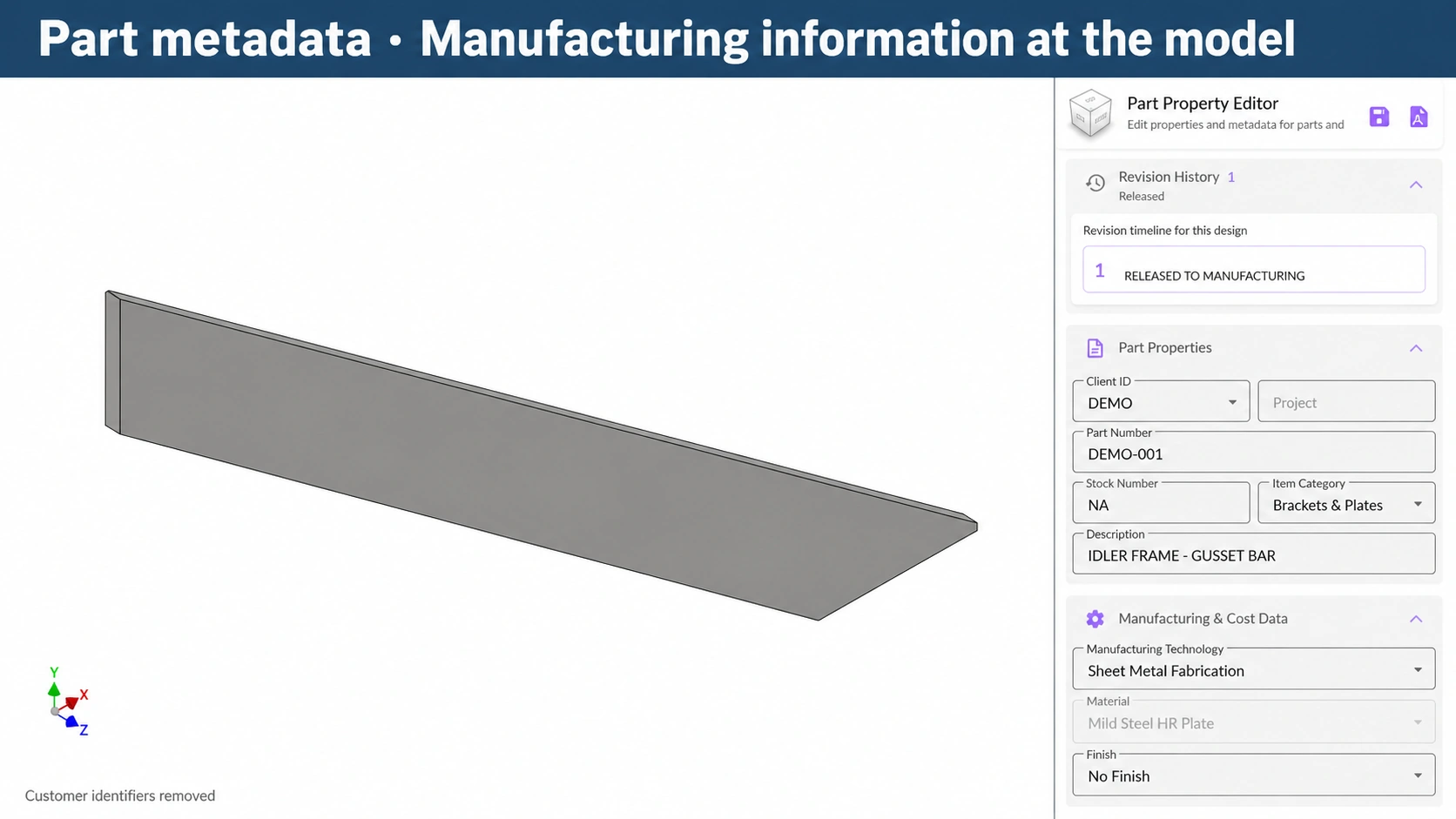
Manage material, finish, stock type and size, descriptions, stock codes and vendors. Calculate stock lengths from extrusion geometry and inspect revision histories.
Identify general arrangements, skeletons, library items, customer-supplied items and components needing quality inspection. These settings prepare models for copy-design and CPC configuration workflows.
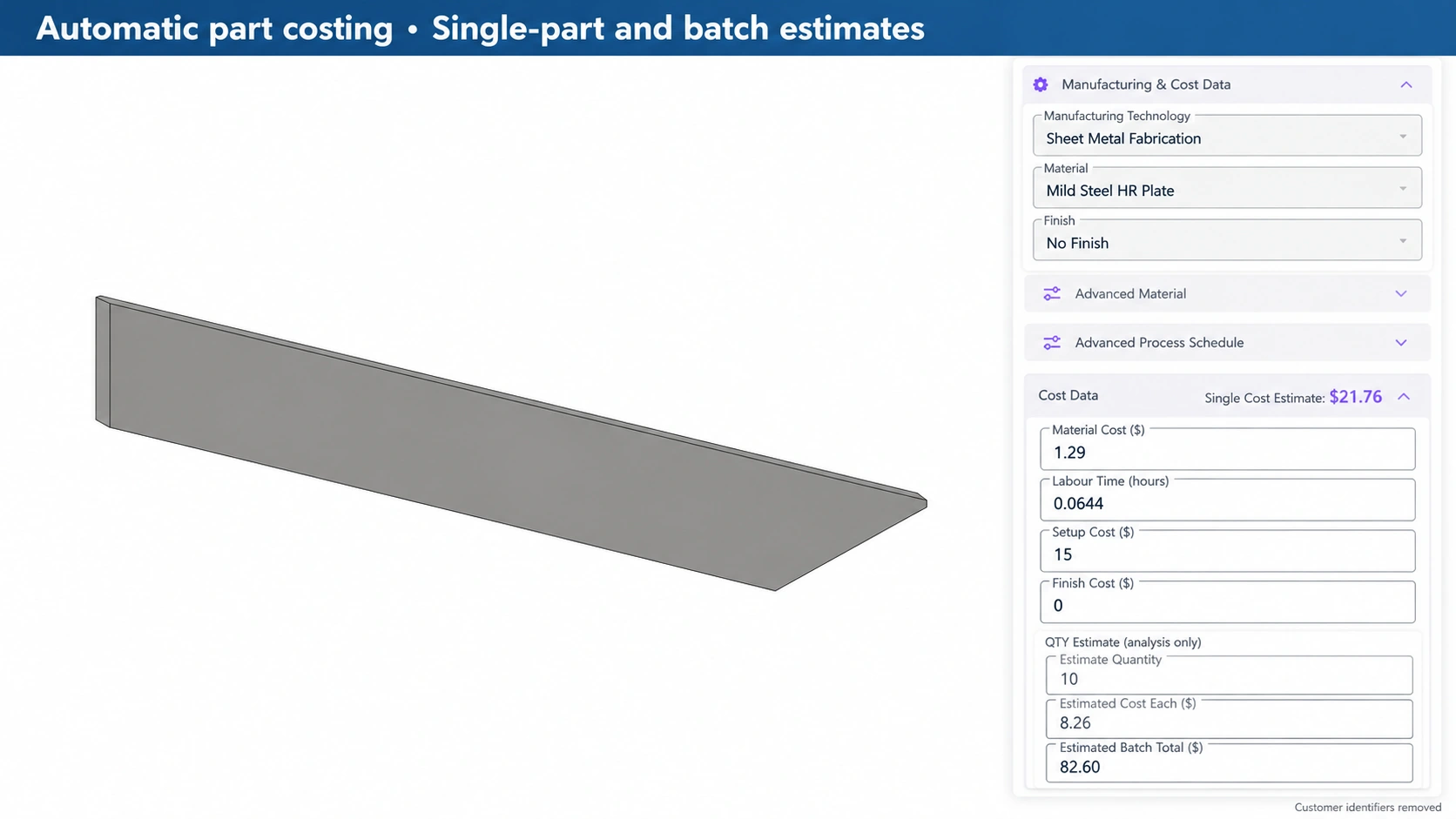
Use 3D model information and material data to estimate part costs. Extend the estimate across assemblies using quantities, setup costs, run costs and assembly operations, with rates defined in CPC.
See live estimated CI supply pricing for a part or a complete assembly, including its constituent parts, from within the design workflow.
 View larger
 View larger
Customer identifiers removed. The part-cost example retains its displayed estimates; the quote examples below hide commercial figures.
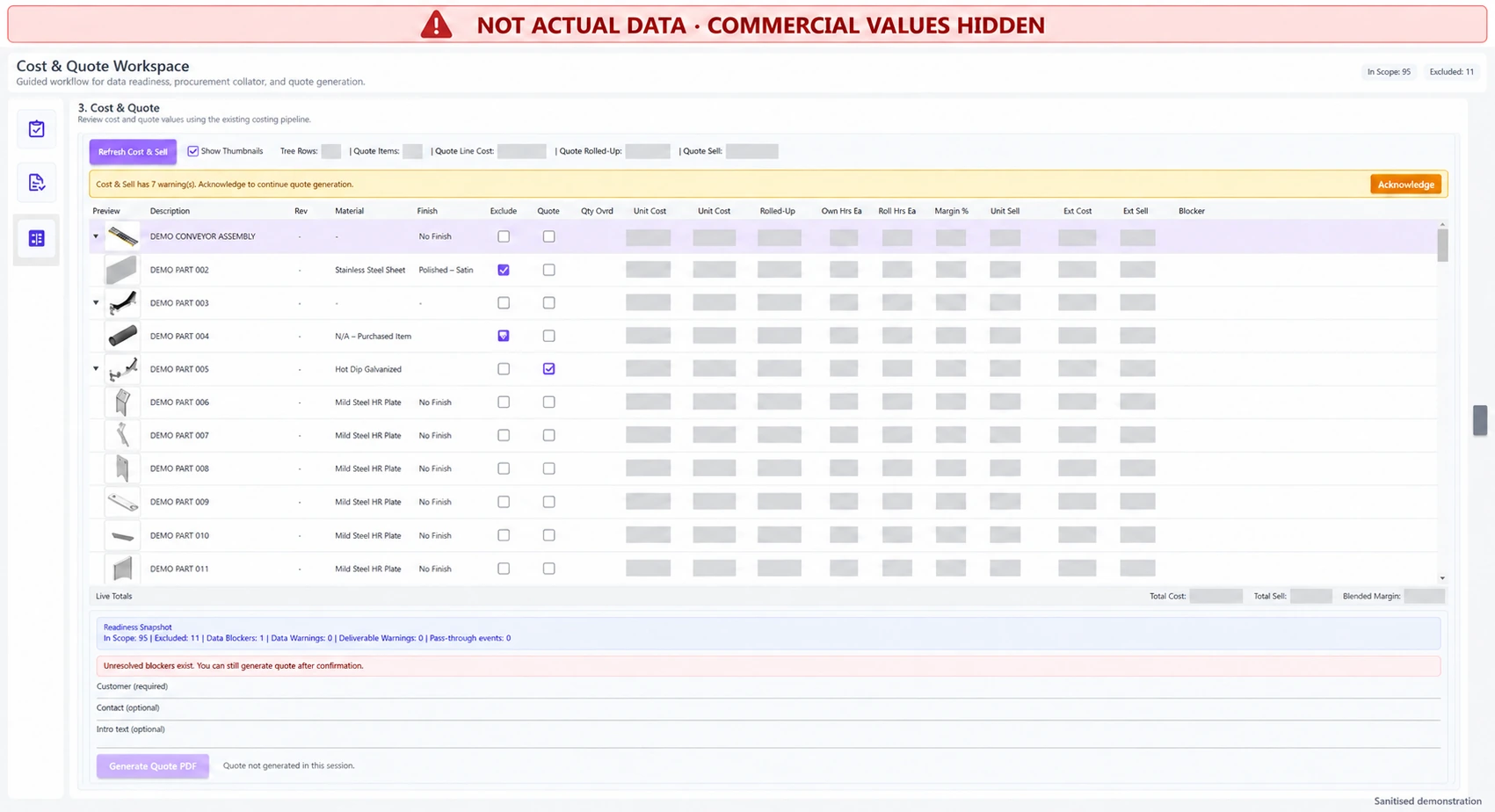 View larger
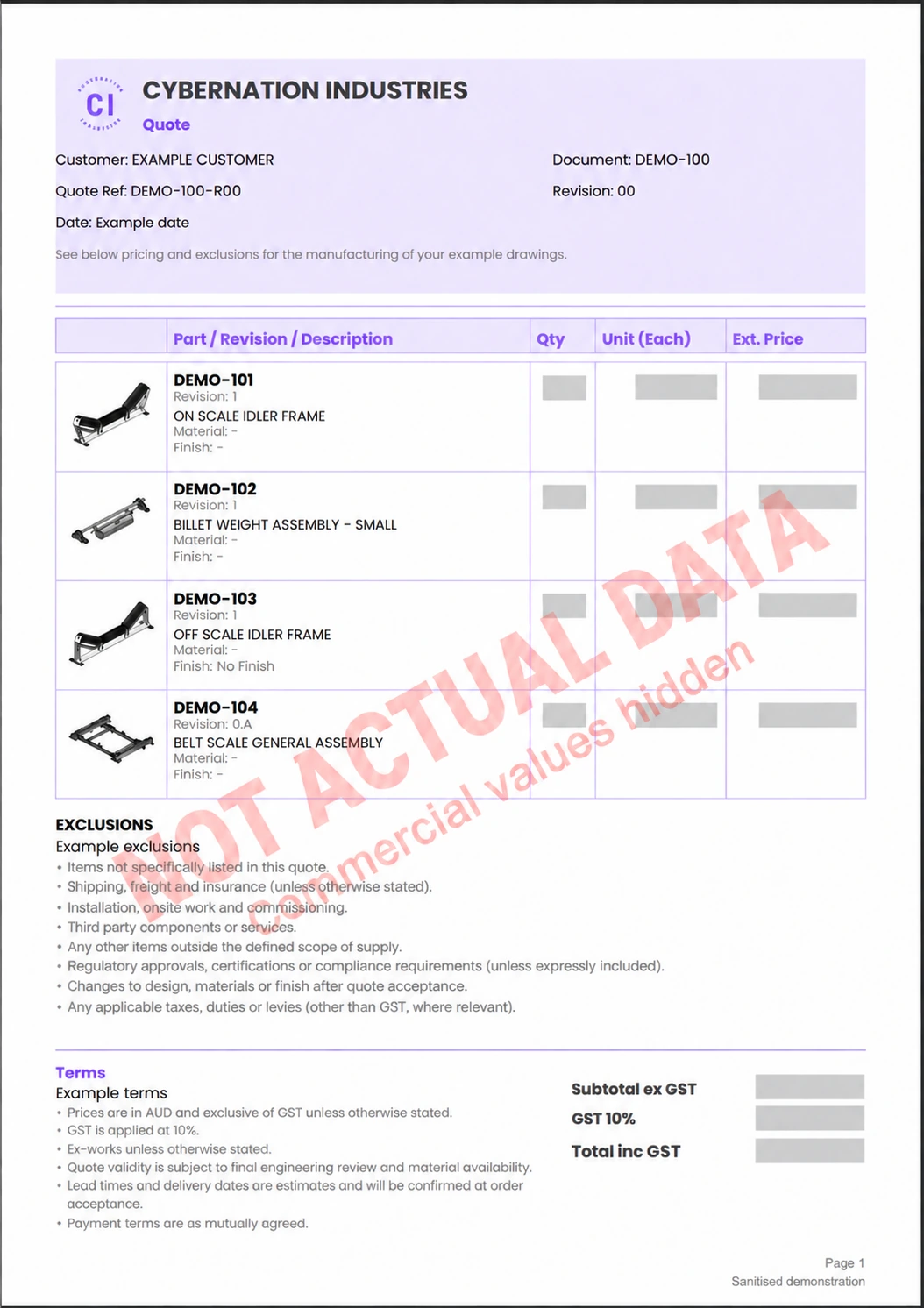 View larger
Edited demonstration images. Customer identifiers and commercial data have been removed or replaced.
A closer look
A closer look
05 / Inspection documentation
Built around the inspection template CI uses in manufacturing.
Turn drawing requirements into a structured Excel inspection pack, on release or whenever you need it.
Inspection scope, sampling and acceptance requirements are defined for the project.
View larger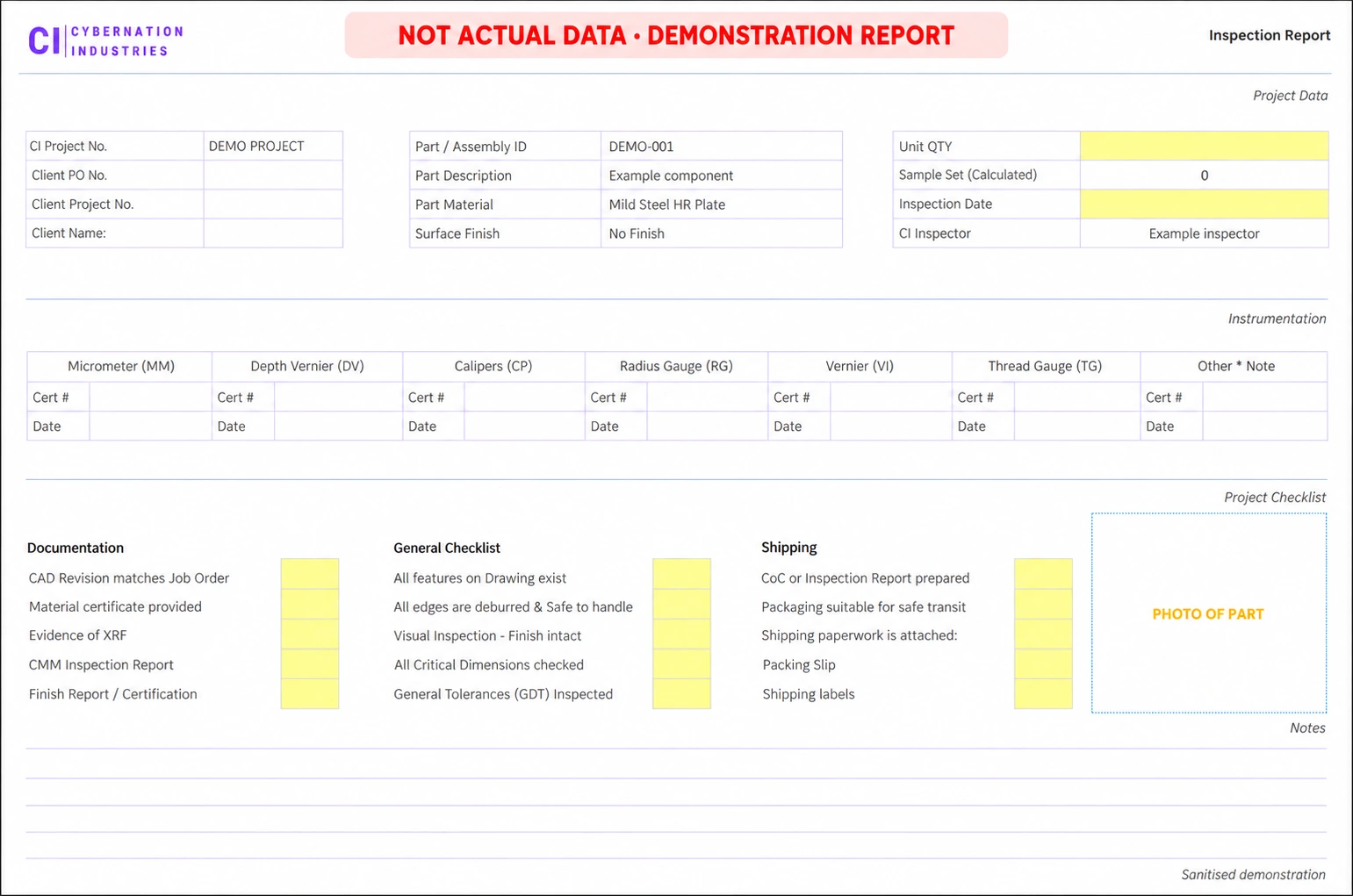 View larger
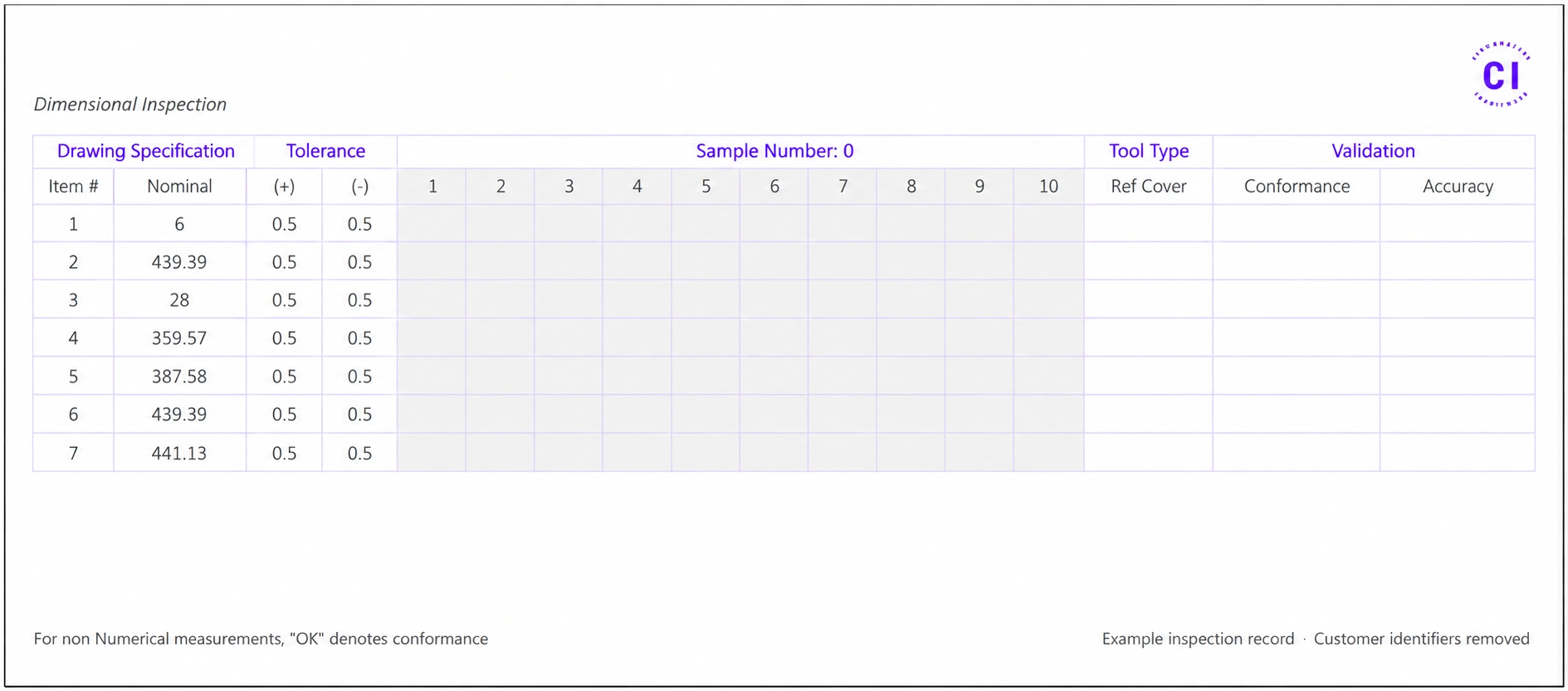 View larger
Edited demonstration images. Customer identifiers and commercial data have been removed or replaced.
A closer look
A closer look
06 / The CPC connection
The add-in brings automation into your engineers’ everyday Inventor workflow. CPC brings guided product configuration to sales and other teams.
Explore CPC & parametric modellingPrepare the models, parameters and product information in Inventor as the foundation for a connected configuration process. Our product direction brings both tools towards the same breadth of outputs, with seamless handover between them.
Start with the add-in for your engineering team, and discuss the CPC connection around your product families.
Getting started
Yes. The Inventor Add-in is a standalone software product. Use its drawing, release, costing and procurement tools with your own suppliers, independently of purchasing manufacturing from CI.
We’re targeting Autodesk Inventor 2025 and later. Compatibility will be checked and confirmed requirements published before downloads become available.
Register your interest and tell us about your workflow and Inventor version. We’ll follow up by email to discuss the tools that fit your team and the next step. Downloads and online sign-up are not available yet.
Straightforward pricing
Contact us to discuss pricing for your workflow. Our software offering is in its early stages, and we’re working towards a published pricing structure so you can understand the costs before committing. Until then, we’ll explain the scope and charges in your proposal.
Give engineering time back
Show us how your team designs, documents and releases a product. We’ll demonstrate the tools that fit your workflow.
Register interest